

Choice buttons and forms, right inside the conversation
Your AI agent does not only reply in text. It shows choice buttons when tapping is faster than typing, and puts a small form in the chat when it needs several details at once. Nobody sets that up in advance: the agent decides per conversation.
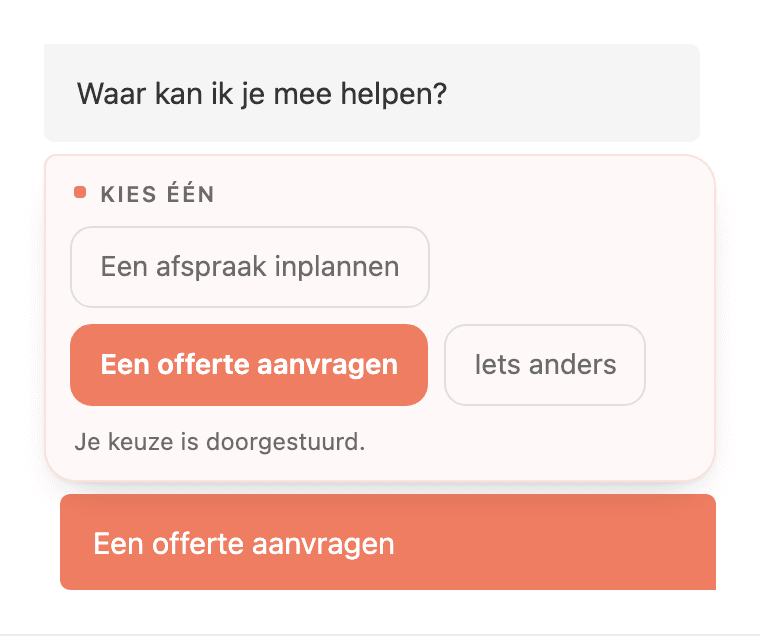
Heyloha's AI agent can render interactive elements inside its own chat message: choice buttons the visitor taps instead of typing an answer, and a multi-field form filled in without leaving the conversation. The agent decides per question whether to use them. There is no decision tree underneath it and nothing to configure.
Two things the agent can put in the chat
Choice buttons
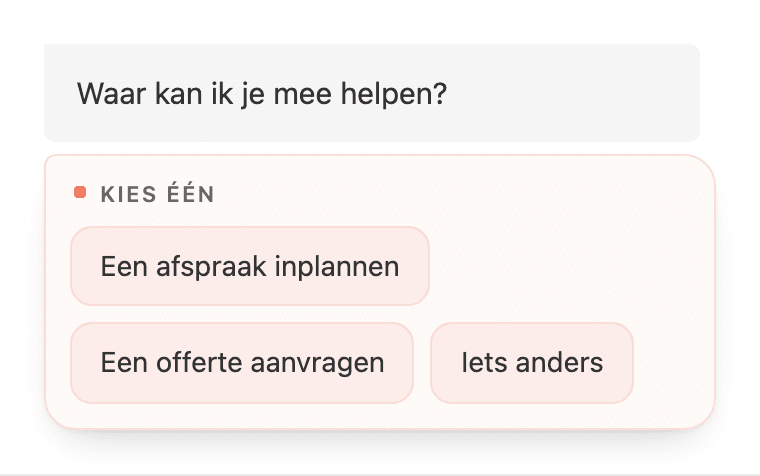
A set of options the visitor taps. The choice goes through as their next message, so the conversation simply continues. After the tap the chosen option stays highlighted and the rest fade back, so the answer is still readable later.
A form inside the conversation
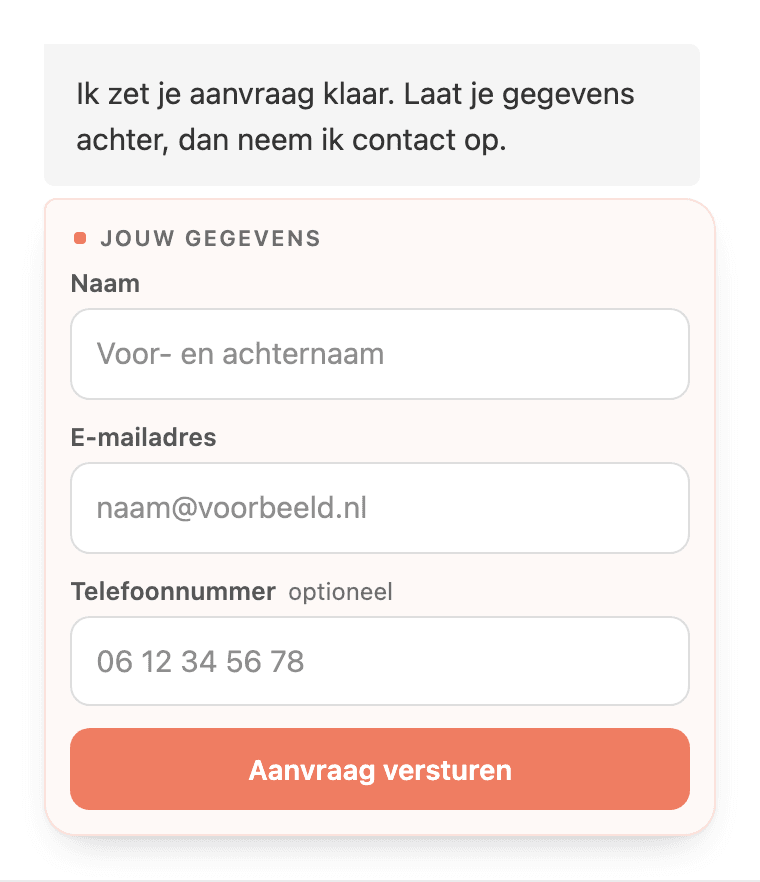
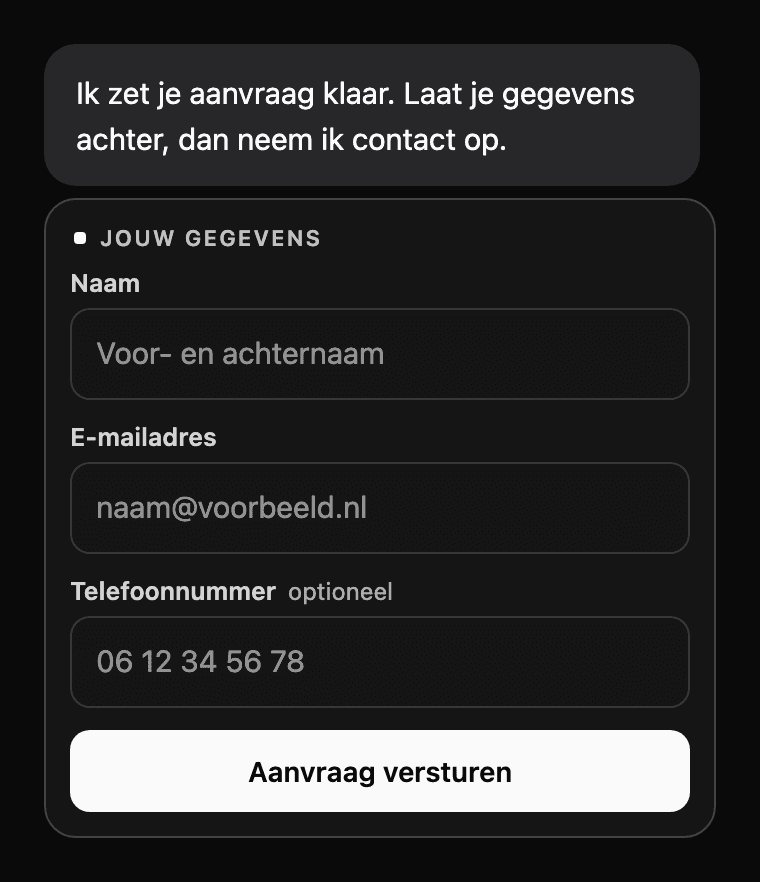
Name, e-mail address, phone number, a note. The visitor fills it in without leaving the chat, and what they enter arrives as their message. It lands in the same conversation as everything else, including the question that prompted it.
The agent chooses this itself
This is not a menu someone mapped out in advance. The agent has the buttons and the form as tools, and decides in the moment that this particular question is better asked as three buttons than as a sentence.
The same holds the other way round. If it needs four things from you, it does not ask four times in a row, it puts down one form. So nobody has to work out ahead of time which question gets which buttons.
Why this shortens the conversation
- Less back and forth
- Four fields asked as four questions are four round trips and four chances to drop out. As a form it is one.
- Fields instead of prose
- 'I'm Jan, call me Monday' is a sentence someone has to read and retype. A submitted form is simply fields.
- Tapping beats typing
- Most chat traffic comes from a phone. On a small keyboard a button wins over a sentence.
- It reaches the right branch
- If you work from several locations, the visitor taps where they are and the enquiry goes there.
- In your own colour
- Everything follows from the brand colour already set in your chat widget. There is no separate styling step.
- No decision tree to maintain
- Nothing has been wired up that you have to revisit when your offering or your questions change.
The right branch, without the model having to interpret anything
If your business works from several locations, one of the first things the agent wants to know is where the visitor is. It puts the locations in the chat as a list and the visitor taps one.
Which branch it is, is decided by the server from the option that was tapped. So it does not depend on how the model reads a place name: a typo, an abbreviation or two branches in the same city make no difference. A request that belongs to one branch does not end up in the other one's inbox.
See how this plays out in your sector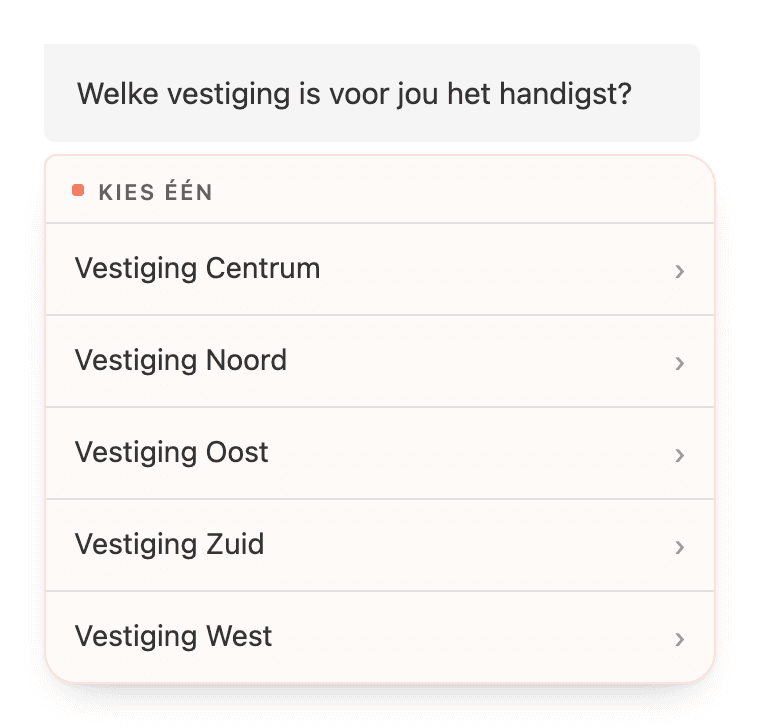
It arrives in your own style
The card, the buttons and the fields all follow from the brand colour you already set for your chat widget. If that widget uses the dark style, the form follows. There is no second place where you have to set this up again.
Frequently asked questions
Do I have to set these buttons up myself?
No. There is no screen where you create buttons or forms. The agent gets them as tools and decides per conversation whether to use them.
Which fields can a form contain?
Text, e-mail address, phone number, a number, a web address and a longer text field for notes. A form has at least two fields. For a single question the agent simply asks it.
Where does a submitted form end up?
The submitted values go through as the visitor's message. They sit in the same conversation as everything else, with the agent's question directly above them, and you read them back in your inbox.
Which languages does this work in?
The components are translated into Dutch, English, German, French and Spanish. A visitor sees them in the language the conversation is running in.
Does this replace the contact form on my site?
For visitors who are already in a conversation, it can take over that job. They do not have to leave the chat to hand over their details, and you get the surrounding conversation along with them.
Try it yourself
Put Heyloha on your site for fourteen days and see what the agent does with your questions.